Plotting with ggplot2
March 1, 2027
ggplot2ggplot2 PackageOne of the most used packages in R1.
We’ve seen this built-in dataset mtcars before. It has values for 32 different cars.
mpg cyl disp hp drat wt qsec vs am gear carb
Mazda RX4 21.0 6 160 110 3.90 2.620 16.46 0 1 4 4
Mazda RX4 Wag 21.0 6 160 110 3.90 2.875 17.02 0 1 4 4
Datsun 710 22.8 4 108 93 3.85 2.320 18.61 1 1 4 1
Hornet 4 Drive 21.4 6 258 110 3.08 3.215 19.44 1 0 3 1
Hornet Sportabout 18.7 8 360 175 3.15 3.440 17.02 0 0 3 2
Valiant 18.1 6 225 105 2.76 3.460 20.22 1 0 3 1

Let’s look in detail at how this works.
We will show each of these in our example plot.
data = mtcars
mapping = aes(x = hp, y = mpg, color = cyl)
Once we have that, we can add a “geom”…
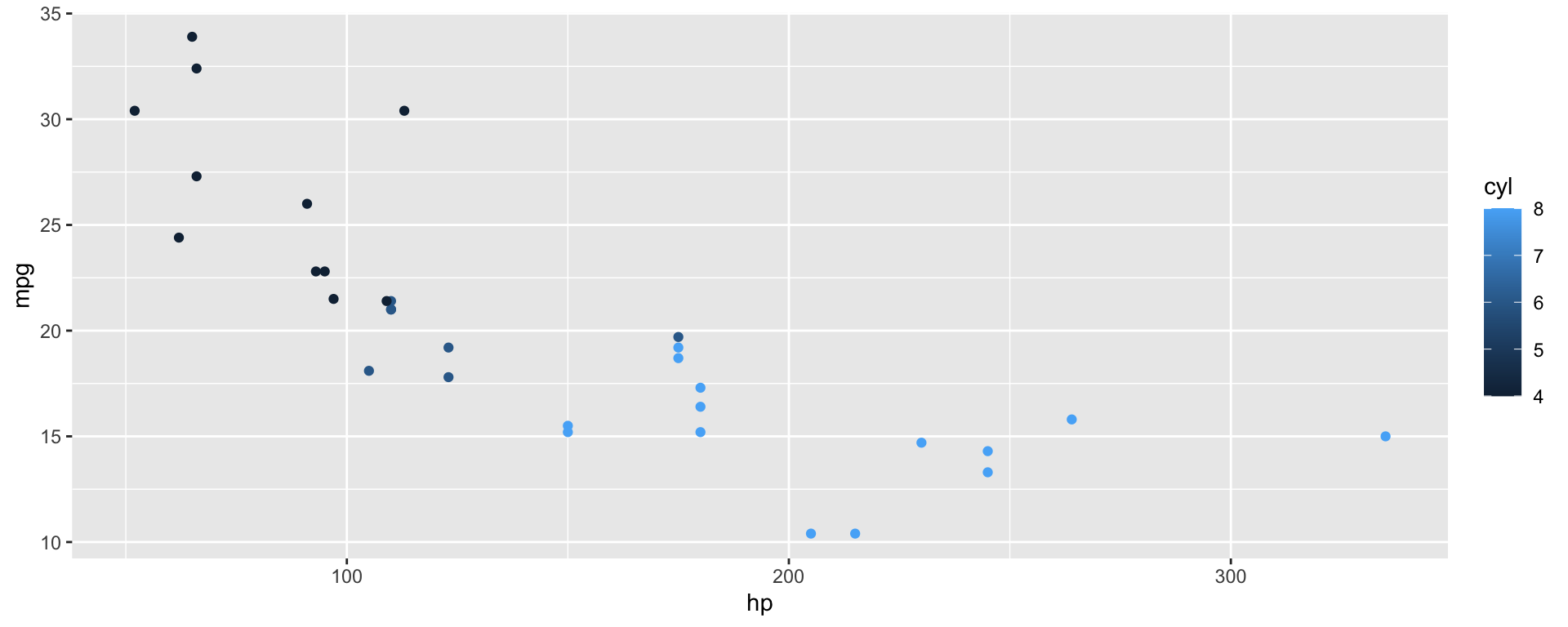
geom_point()
“Geom”s take our aesthetic mapping and draw objects to represent them on the chart.
In this case, we draw points.
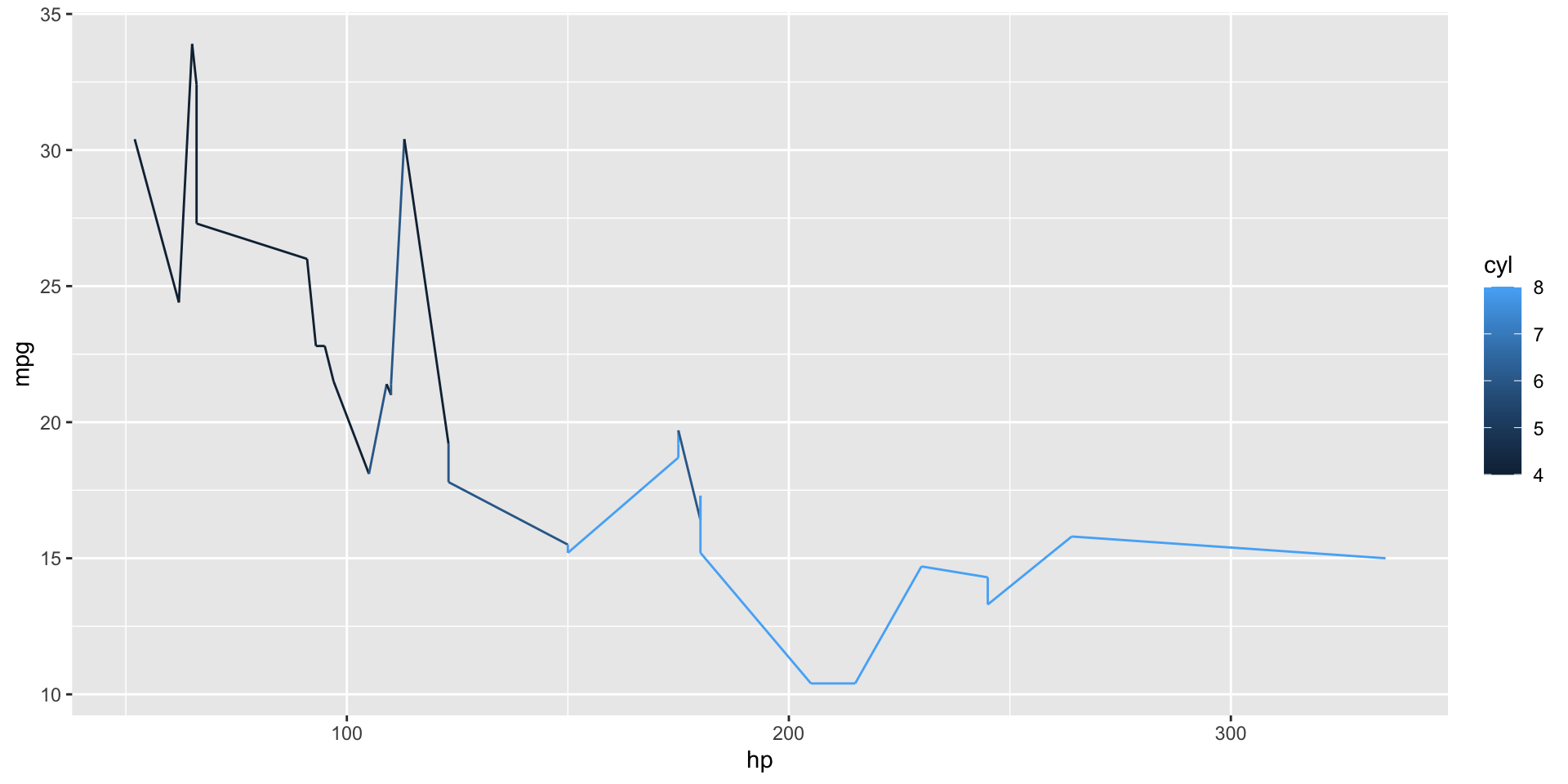
Instead, we could have drawn a line…
But it would have looked pretty silly.
+ geom_point()
All ggplots are built in layers, one for each geometry.
In this case, we have only one layer: geom_point().
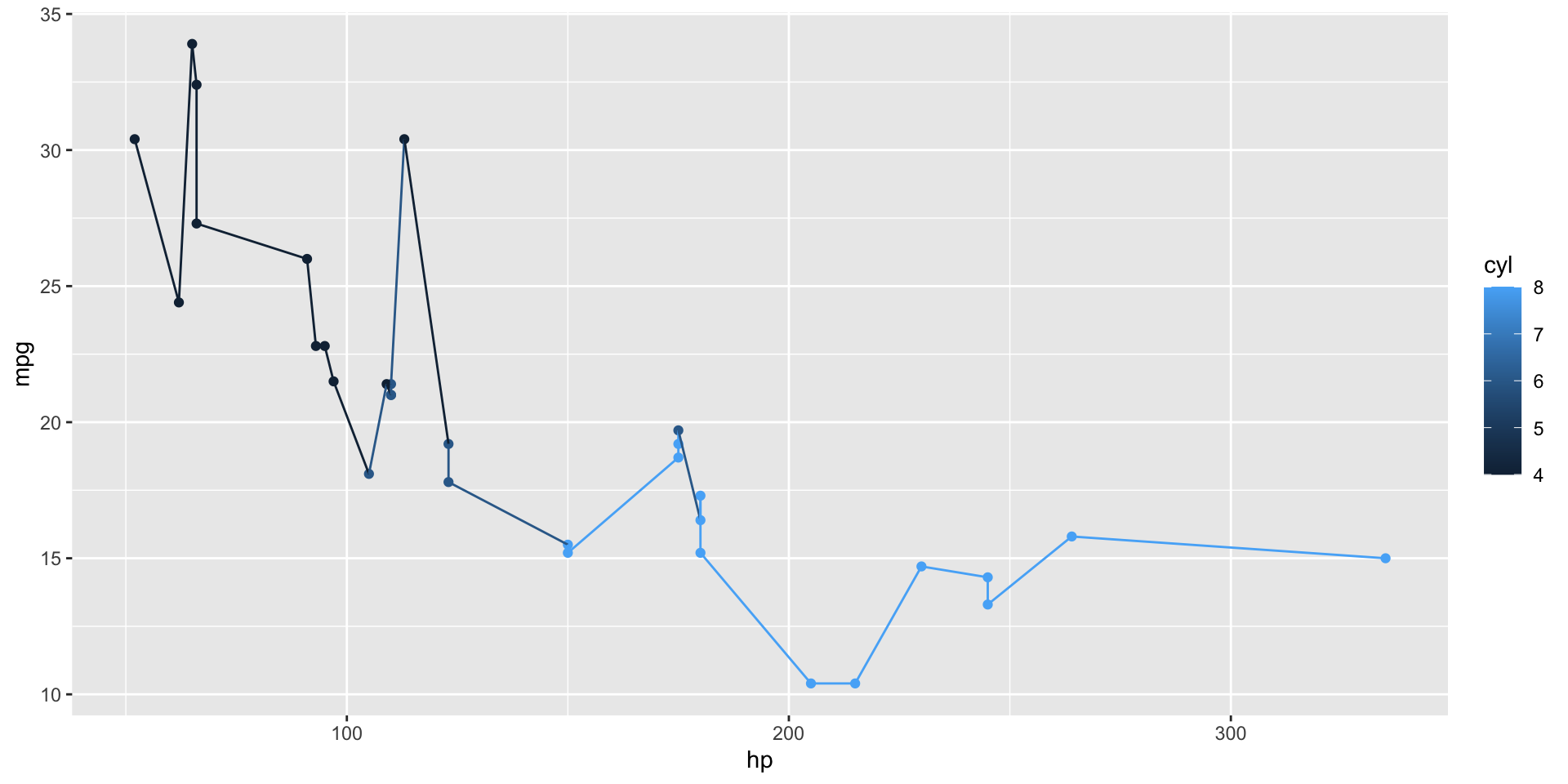
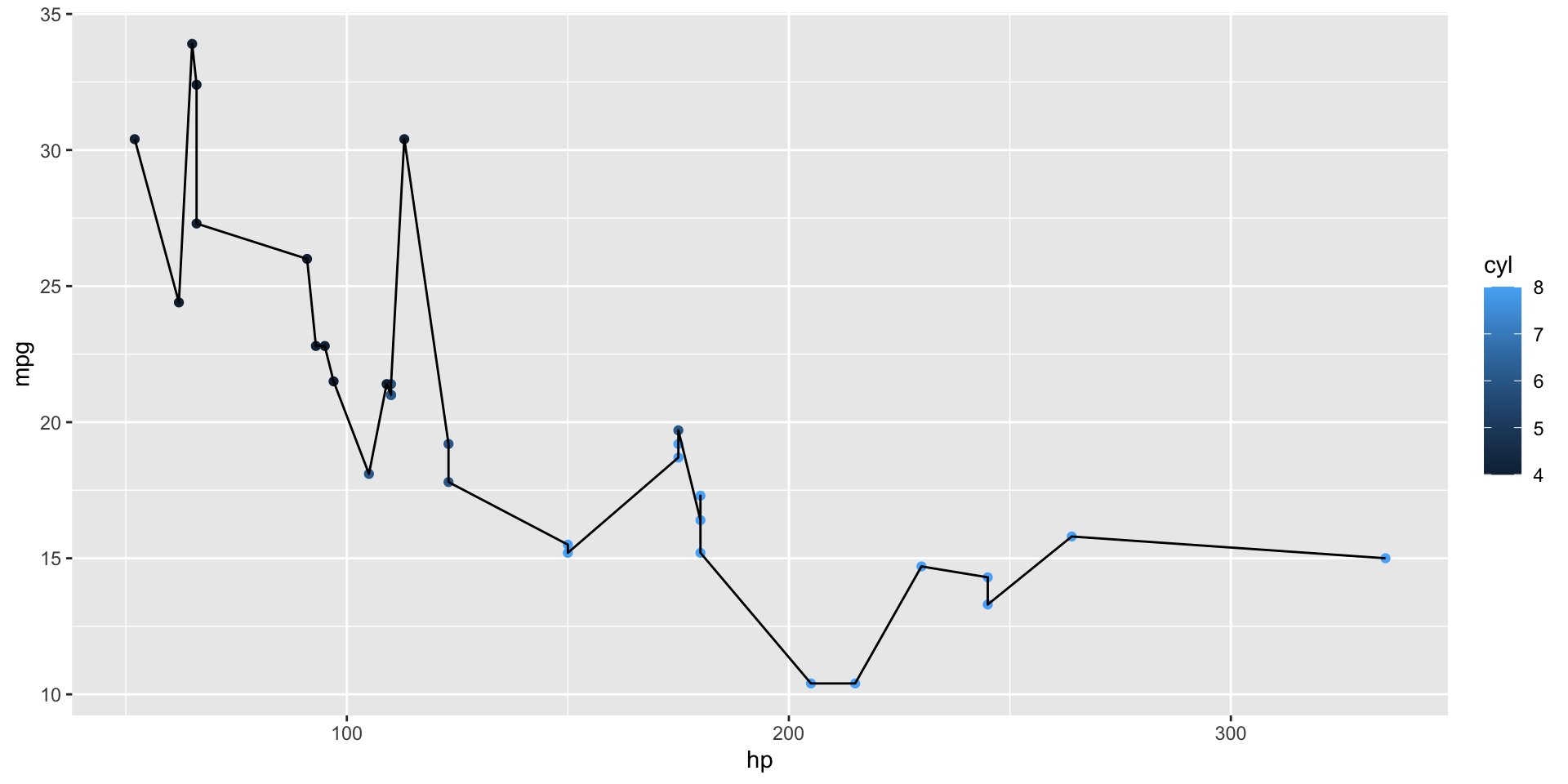
What happens if we add two?
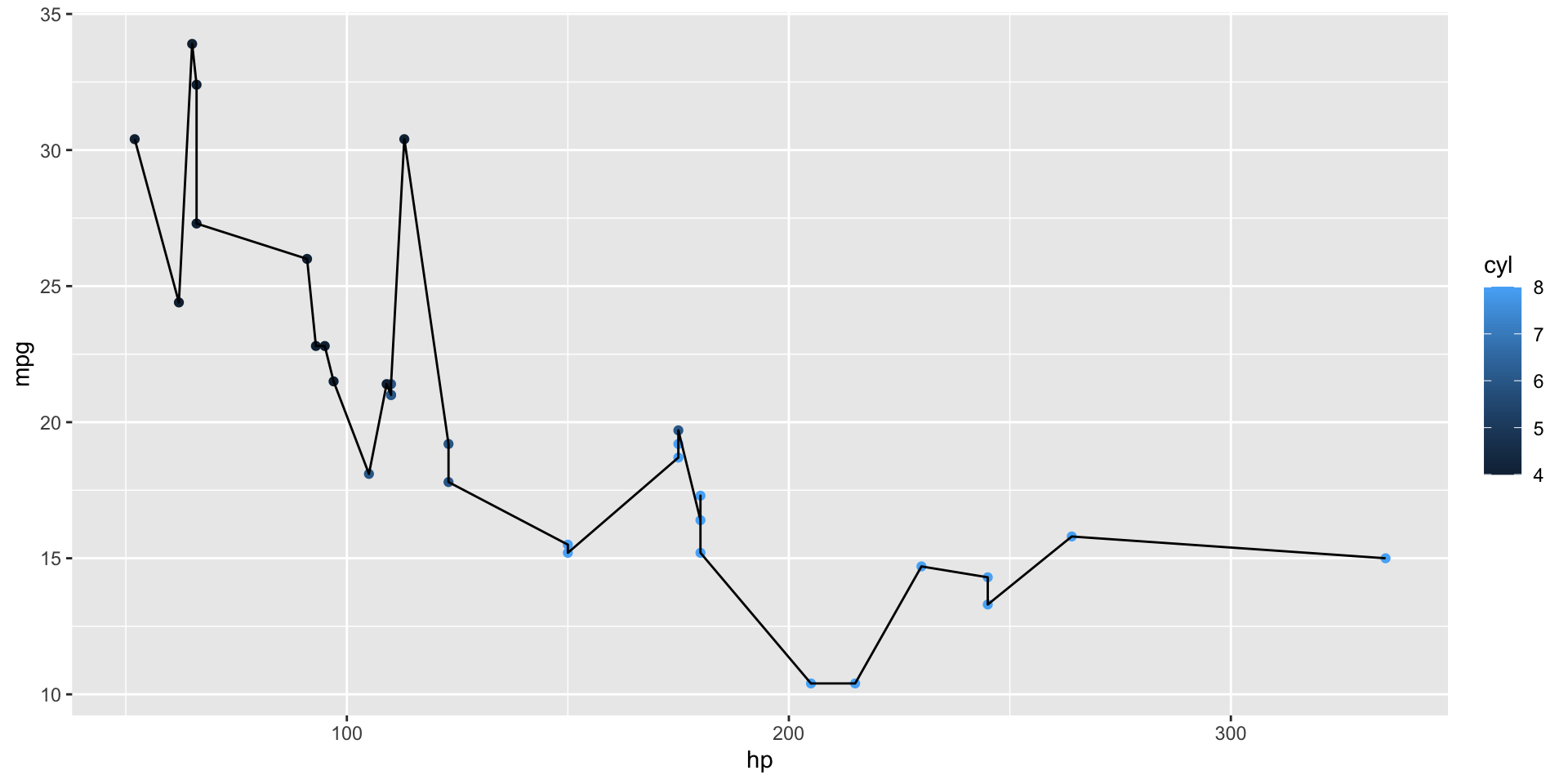
Both are drawn, and geom_line() also uses the color aesthetic. What if we wanted it to be black?
Set the common aesthetics in ggplot(), and add color only for geom_point().
Or override a plot-wide aesthetic for one layer. Notice that we don’t use aes(color = "black"): a fixed value goes outside aes().
Possible geom_s and the aesthetics they require:
geom_point(), geom_line(): x, y
geom_histogram(), geom_density(): x
geom_col(): x, y
geom_ribbon(): x, ymin, ymax
geom_pointrange(): x, y, ymin, ymax (we will use this later!)
geom_text(), geom_label(): x, y, label
And many more. See the ggplot2 reference page.
Every ggplot aesthetic has a scale.
This plot has three scales: x-axis, y-axis, and color.
I’ve saved the plot to a variable p, which we can print later and add more layers, scales, or themes to without repeating the initial construction.
Use _continuous() scales for numeric data, _discrete() for categories.
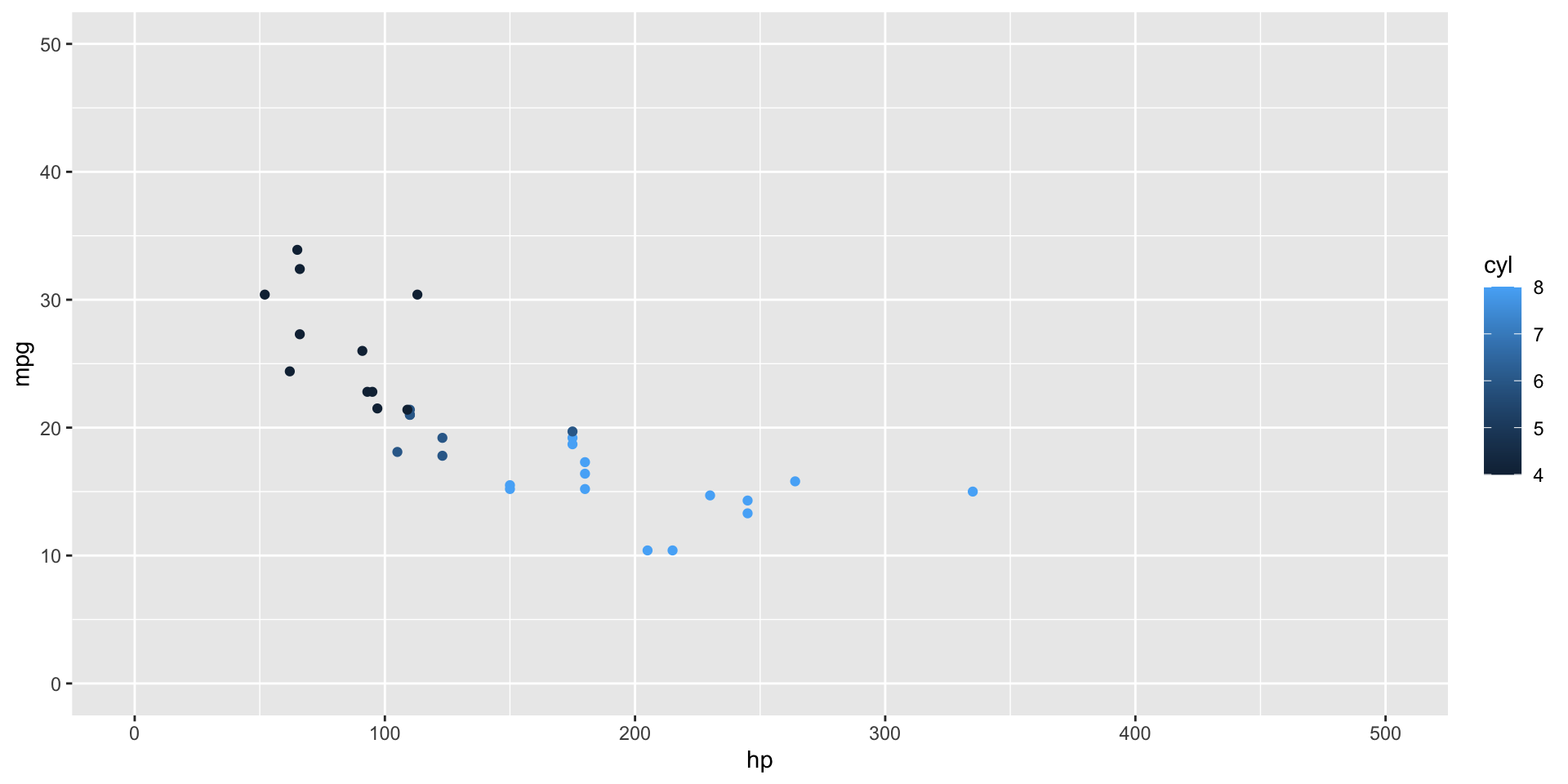
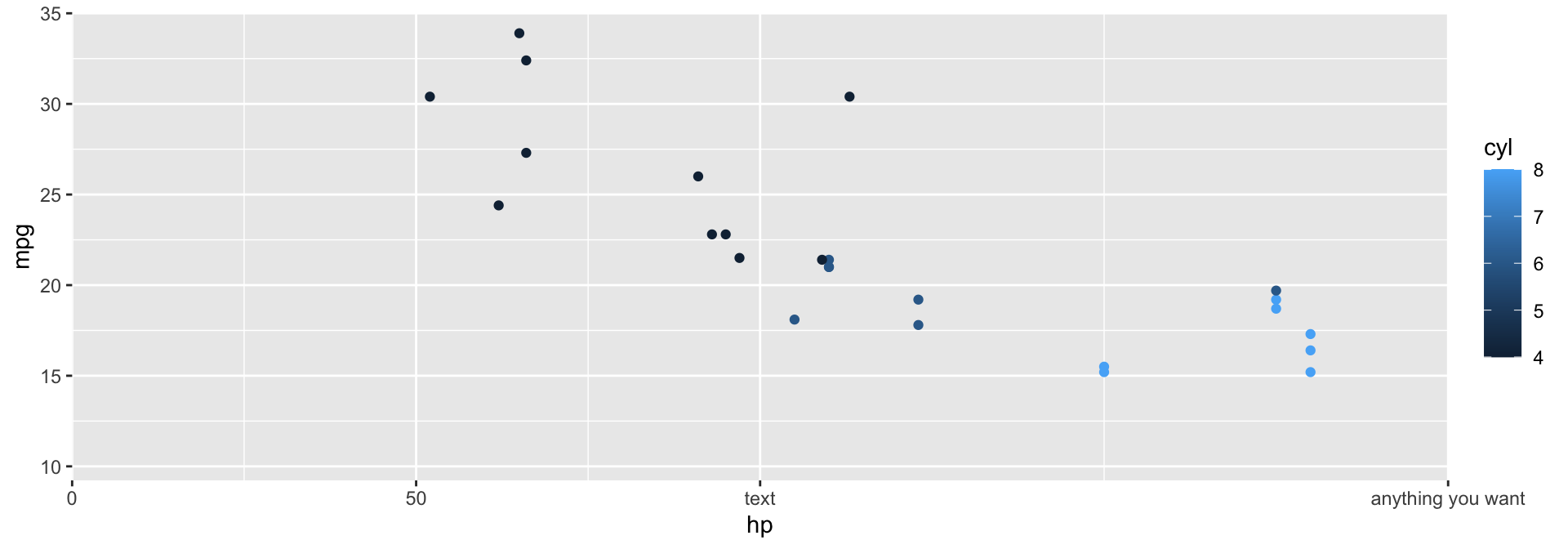
scale_*_continuous() optionslimits = c(0, 50): start and end valuesexpand = c(0, 0): buffer space at each end (default is 5%)breaks = c(0, 50, 100): where the tick marks golabels = c("0", "50", "100"): text for each breakscale_*_continuous() examplecyl is numeric, so the color scale is continuous.
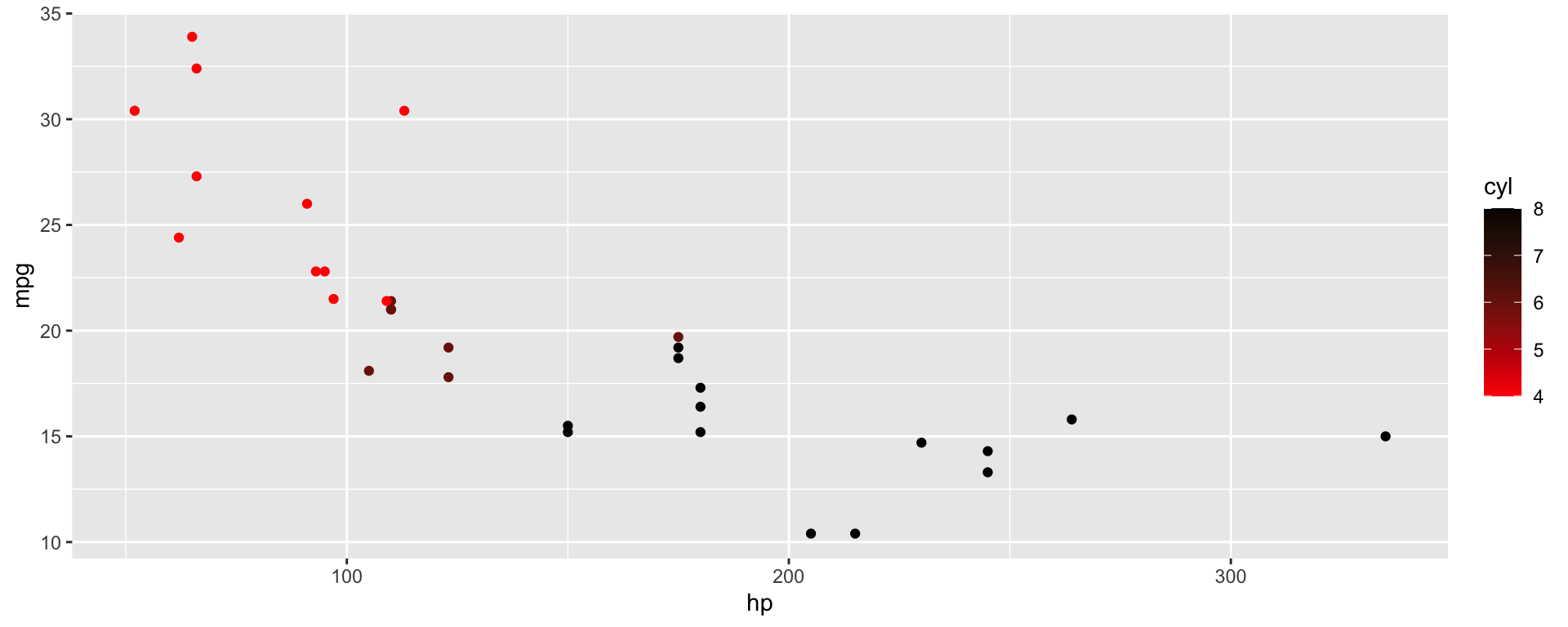
For low-mid-high color scales use scale_color_gradient2(). For n-level color scales, use scale_color_gradientn().
But is a continuous scale the right one for this data?
Convert cyl to a factor, then pick colors with scale_color_manual().
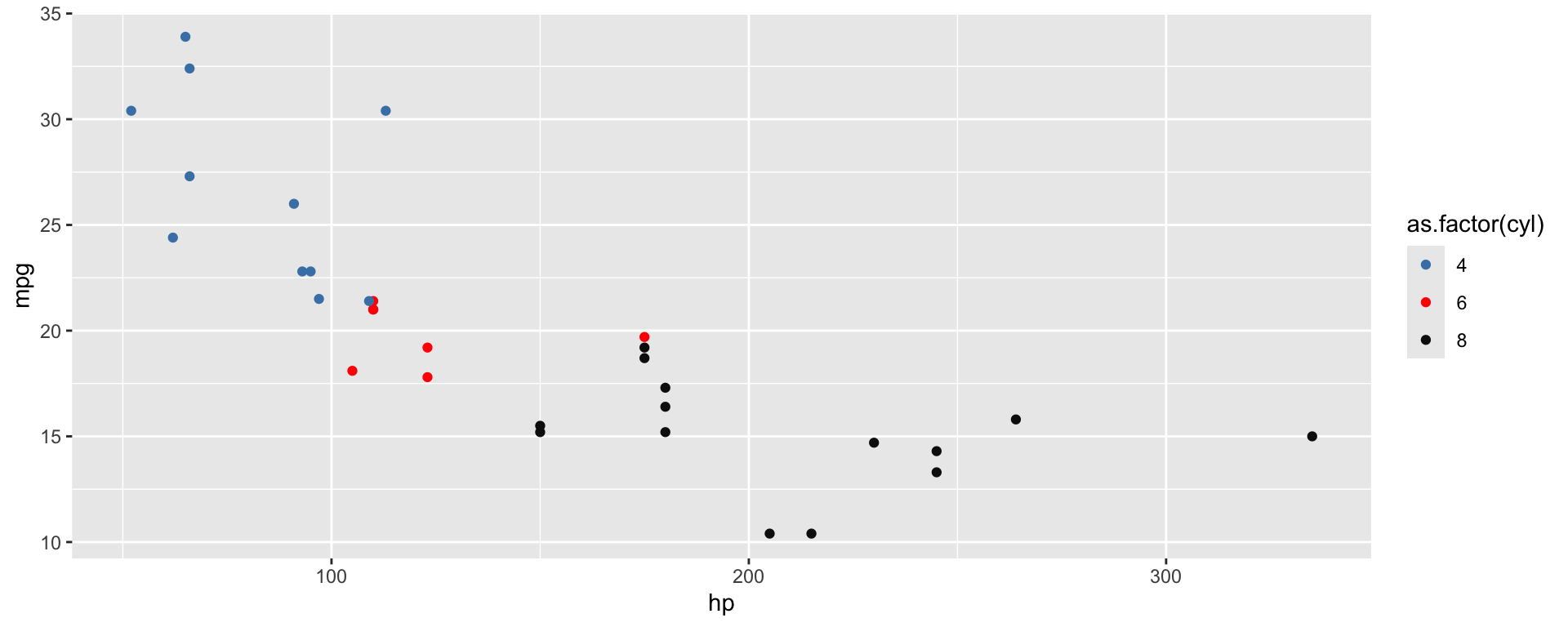
A named vector matches each color to a specific value.
Picking colors by hand is hard. Built-in palettes are a good default.
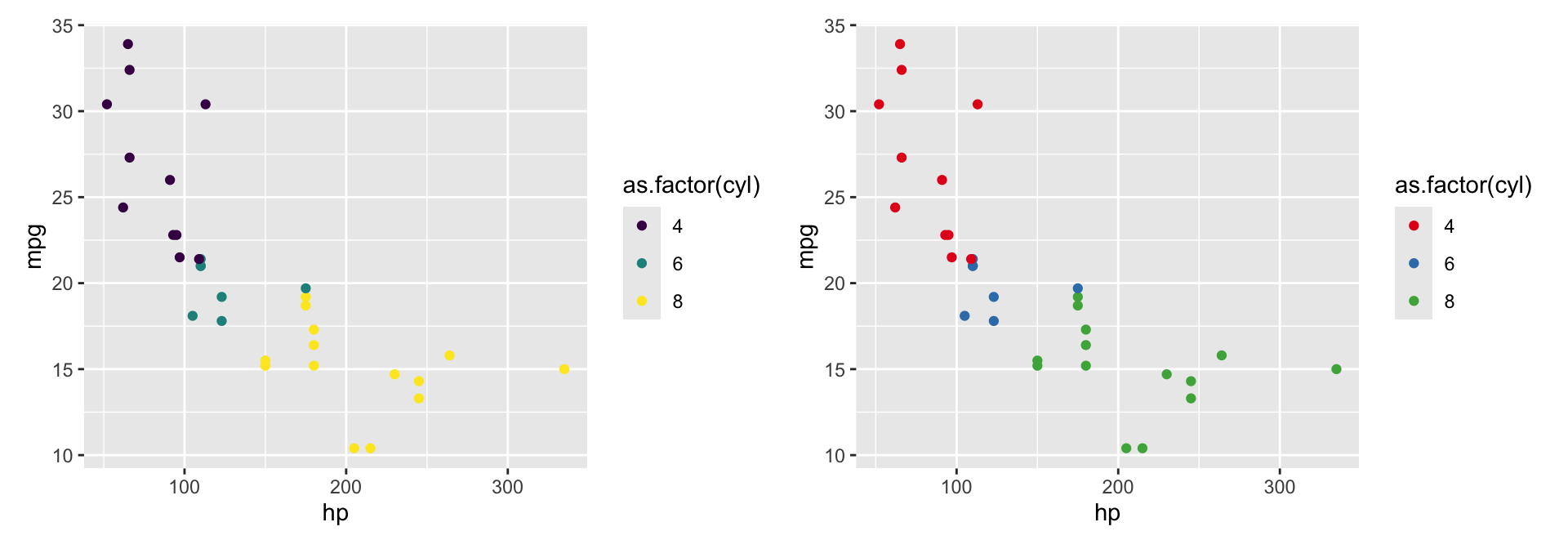
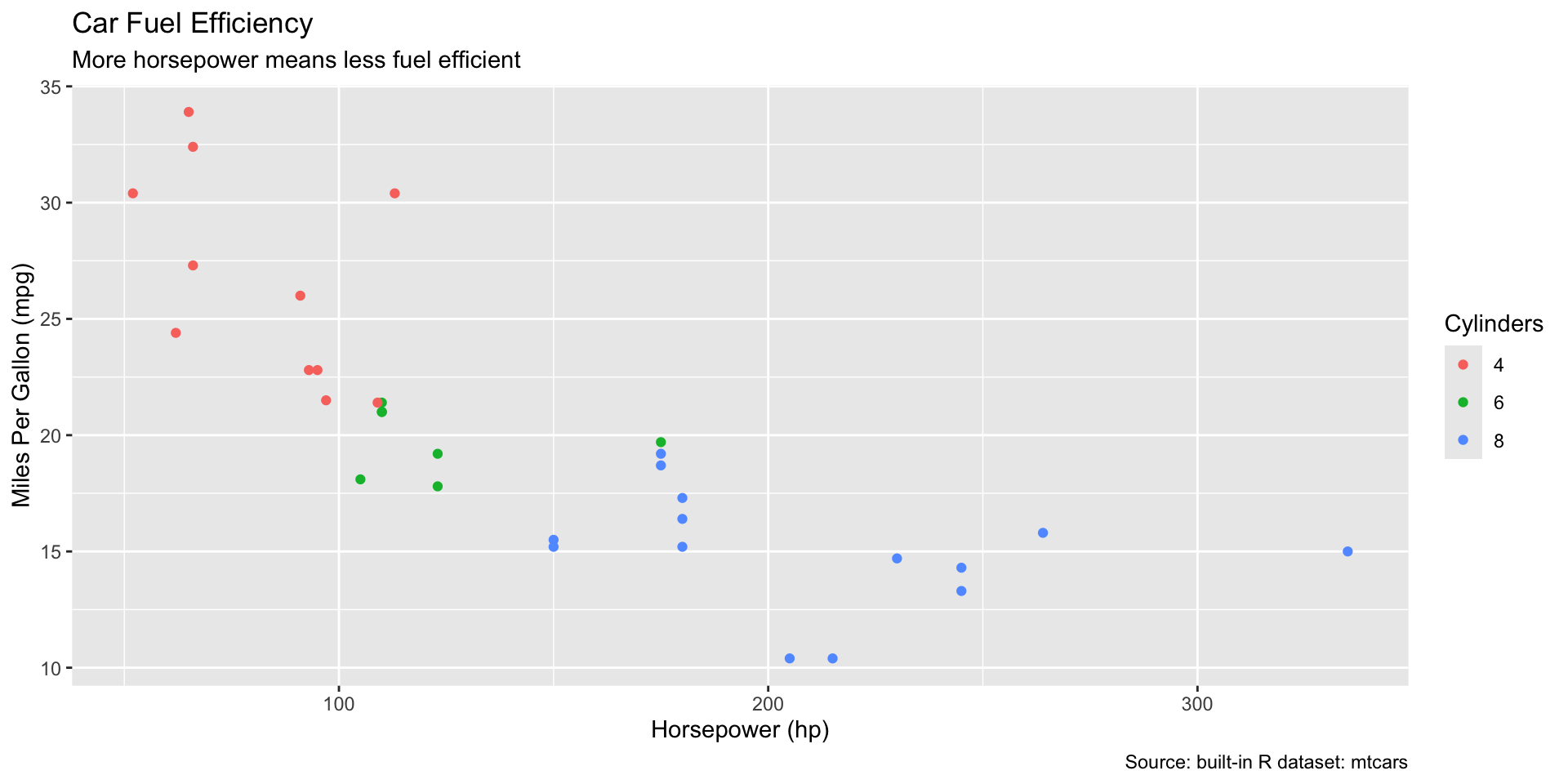
scale_color_viridis_d() (discrete) and _c() (continuous) are colorblind-friendly and print well in black and white.scale_color_brewer() uses the ColorBrewer palettes.| between plots comes from patchwork; more on that later.Axis and legend labels default to your variable names. Title, subtitle, and caption are optional.

Themes control every non-data part of the plot.
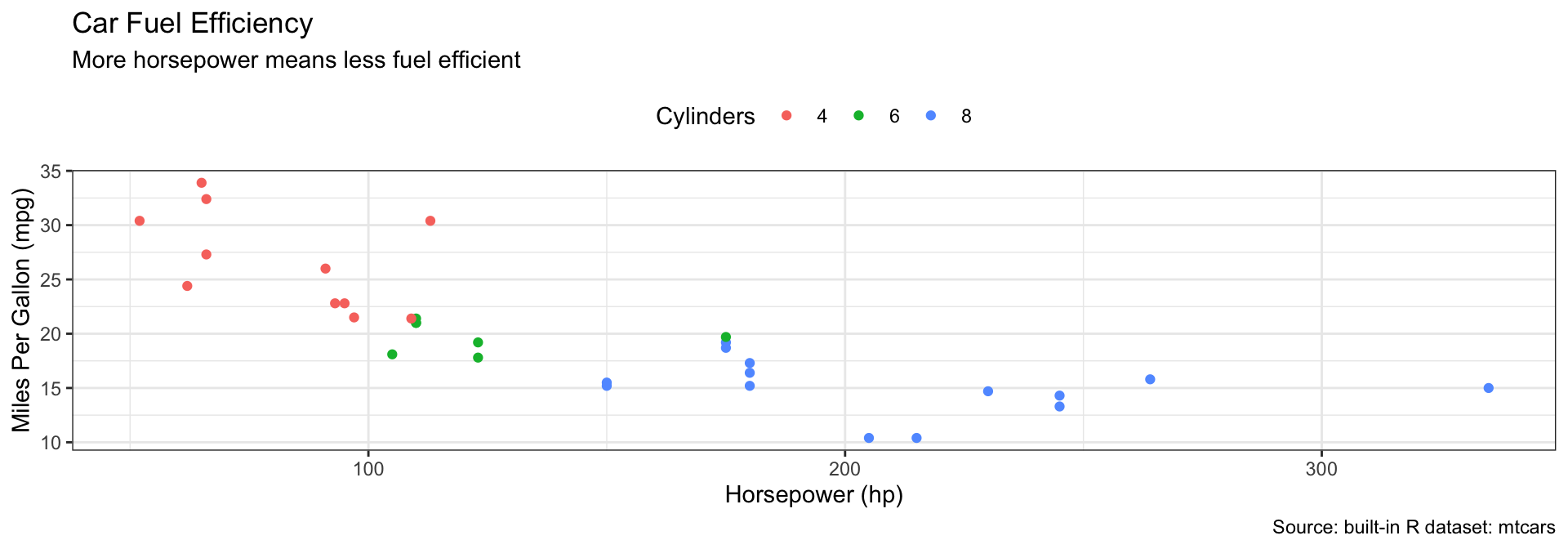
theme_gray() (default), theme_bw(), theme_minimal(), theme_classic()+ theme(); see ?theme.Other packages share their own themes. ggthemes is a large collection.
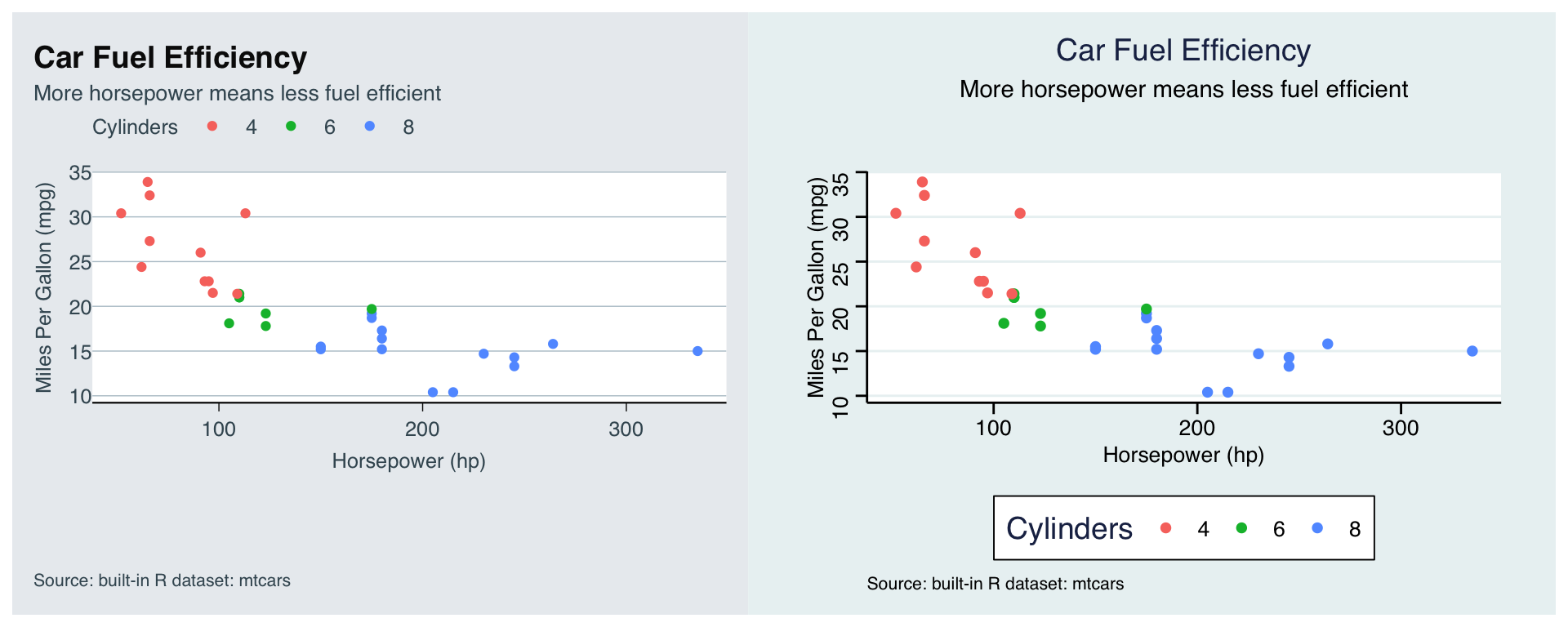
The Economist, and… Stata. Much of what changes is the fonts and backgrounds.
With themes you can change just about any non-data part of your plot.
But that means all the options can be hard to figure out.
Start from a pre-built theme that is close to what you want, then adjust with + theme().
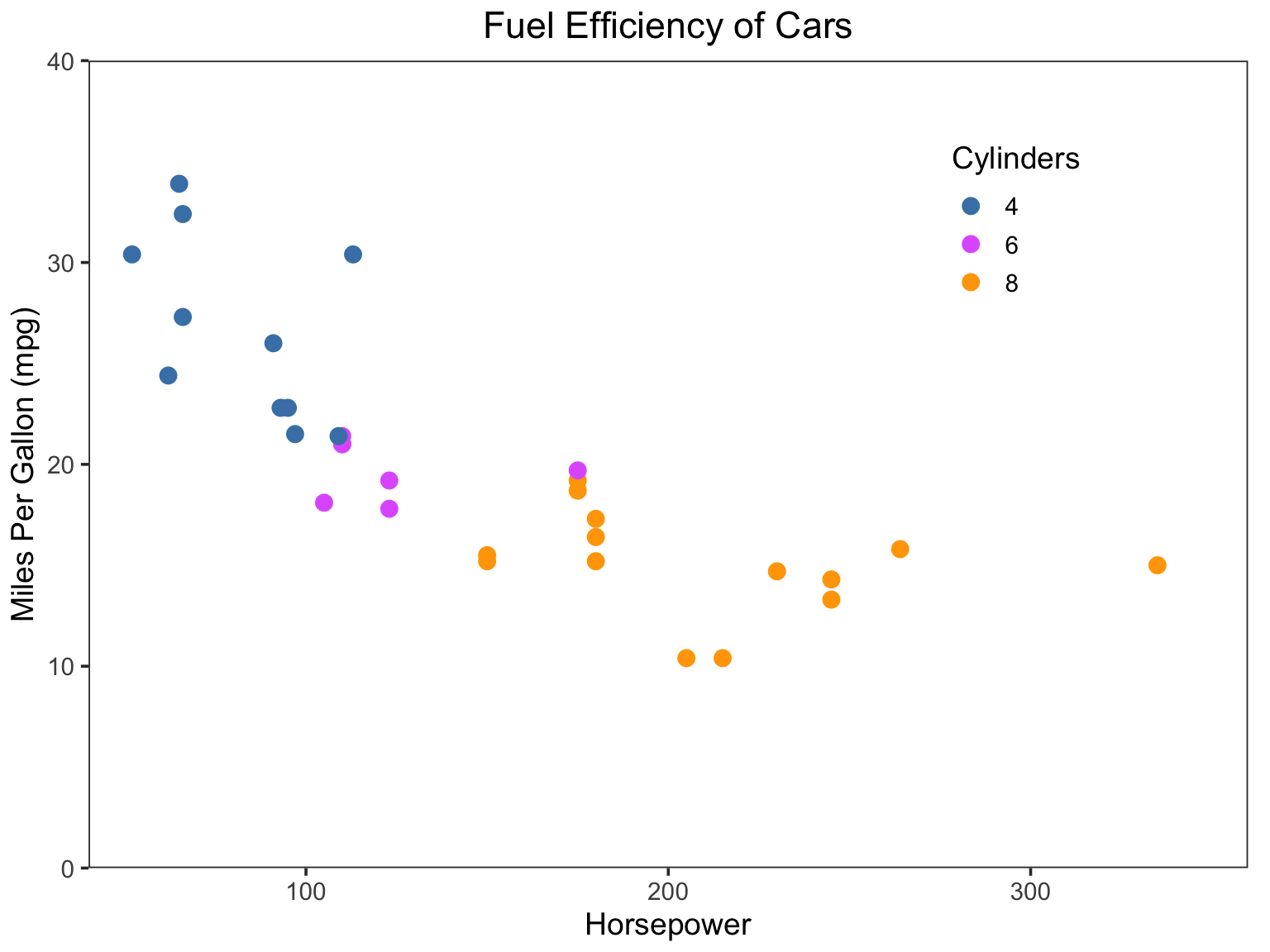
This is pretty close to ggthemes::theme_few().
mtcars |>
ggplot(aes(x = hp, y = mpg, color = as.factor(cyl))) +
geom_point(size = 3) +
scale_y_continuous(limits = c(0, 40), expand = c(0, 0)) +
scale_x_continuous(limits = c(40, 360), expand = c(0, 0)) +
scale_color_manual(values = c(
`4` = "steelblue", `6` = "mediumorchid1", `8` = "orange"
)) +
labs(
title = "Fuel Efficiency of Cars",
x = "Horsepower", y = "Miles Per Gallon (mpg)", color = "Cylinders"
) +
theme_bw(base_size = 14) +
theme(
panel.grid = element_blank(),
plot.title = element_text(hjust = 0.5),
plot.margin = margin(5, 10, 5, 5, "pt"),
legend.position = "inside",
legend.position.inside = c(0.8, 0.8)
)
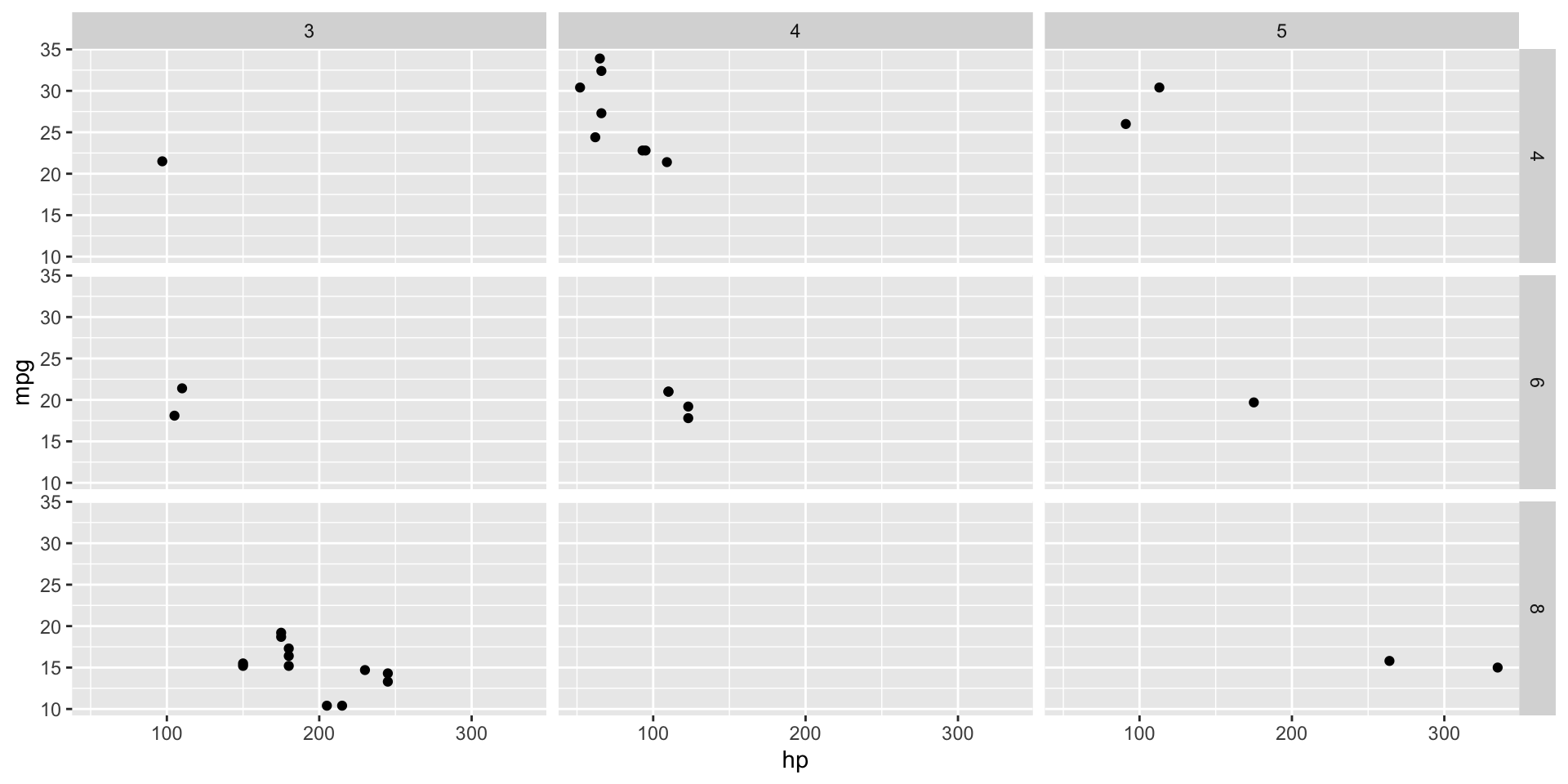
Facets plot multiple cuts of the data: another “z” dimension.
facet_wrap() makes one panel per value of a variable.
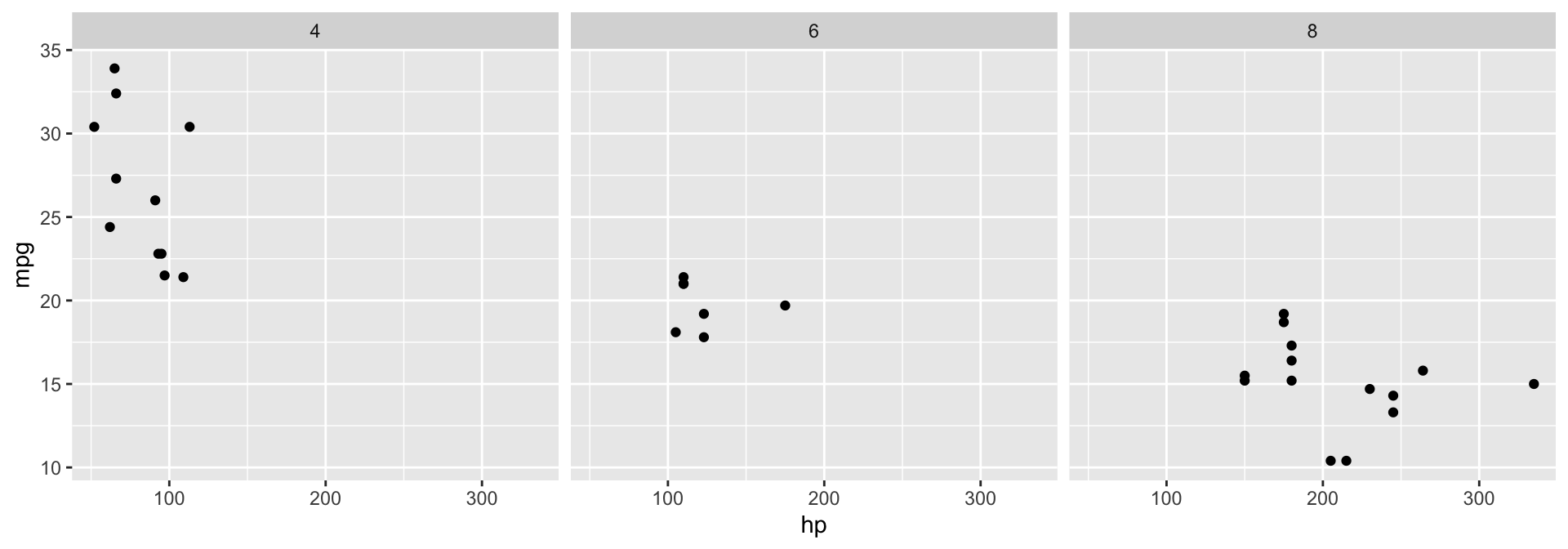
By default every panel shares the same axes, so they are easy to compare.
scales = "free" lets the axes vary by panel.
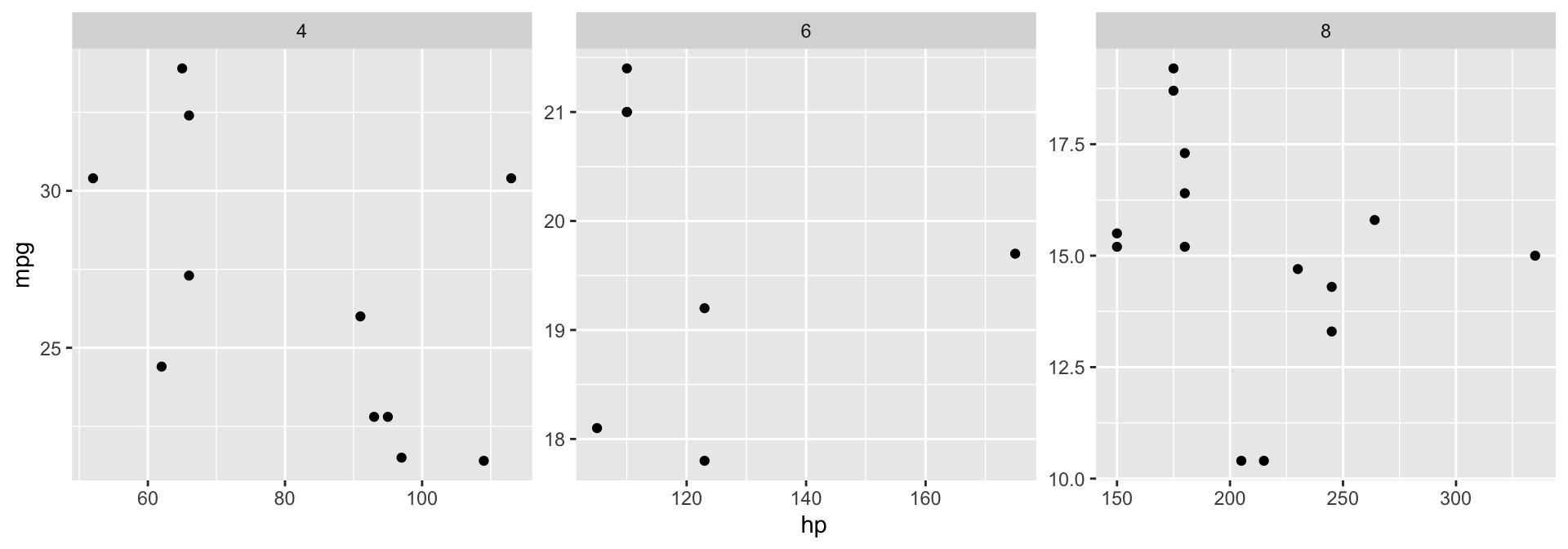
Easier to see the pattern within each panel, harder to compare across them. Also "free_x" and "free_y".
facet_grid() makes a grid of panels from two variables.
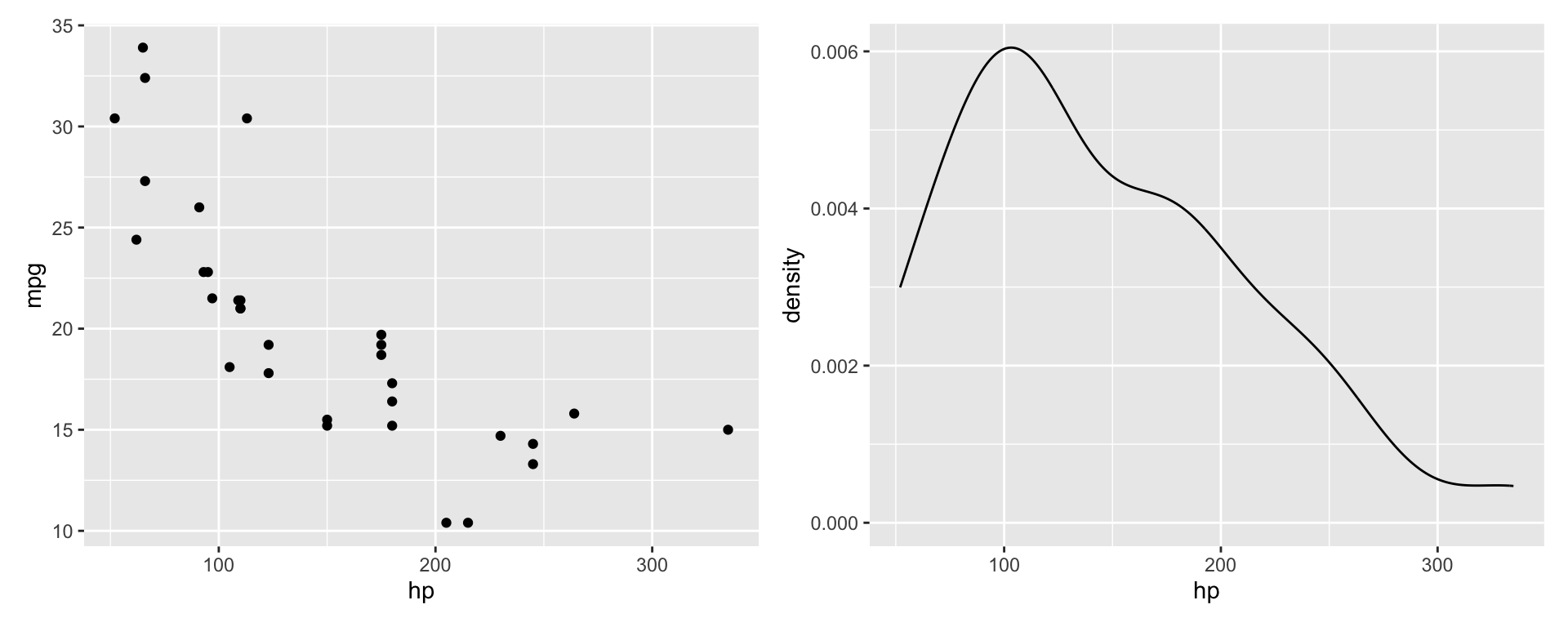
patchworkTo put different charts in one image, we use patchwork.
p1 | p2 places plots side by sidep1 / p2 stacks them in a columnplot_spacer() leaves an empty spacepatchworkMix and match for more complicated layouts.
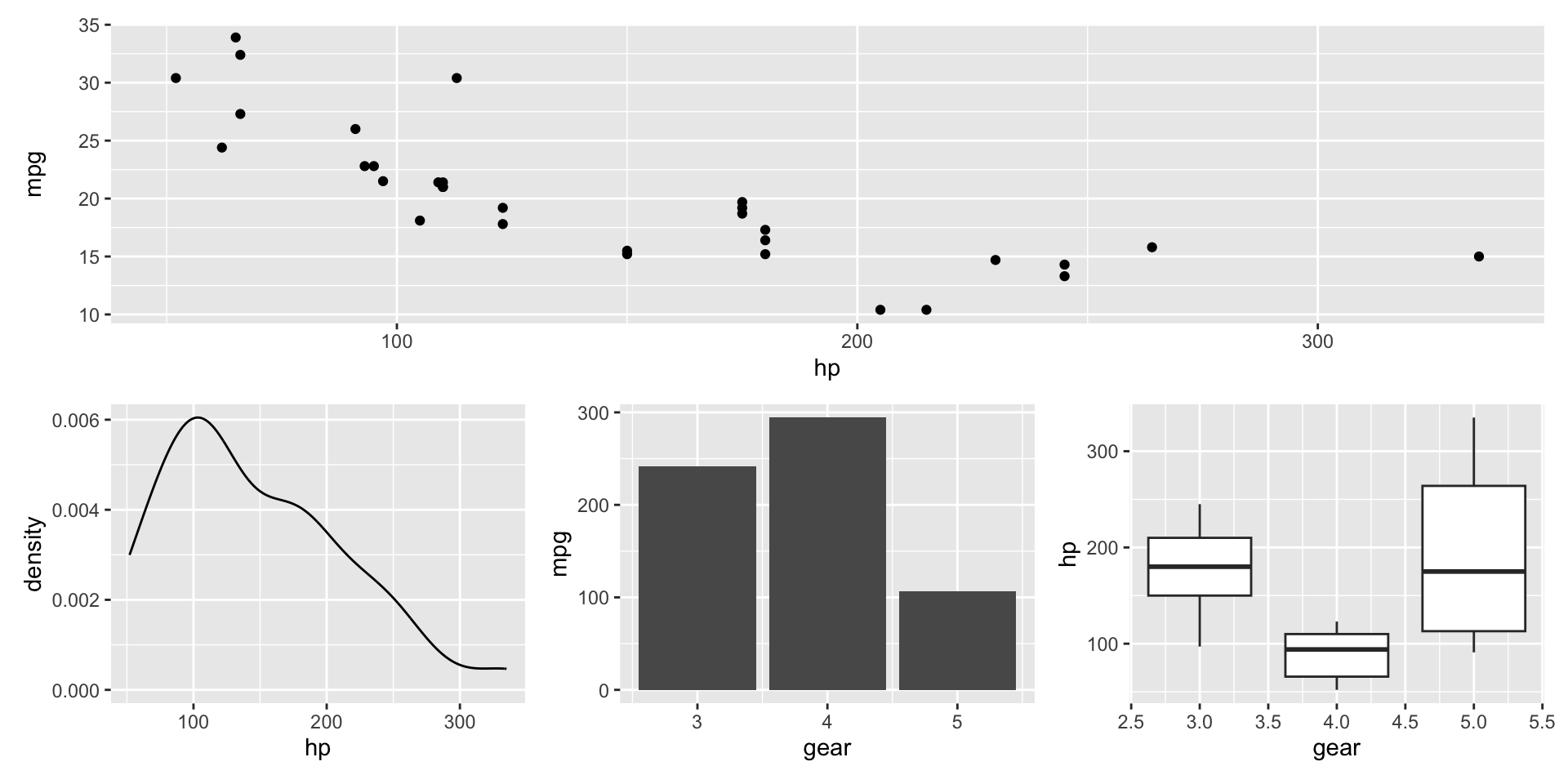
patchwork can also add panel tags (“A”, “B”), shared titles, and merged legends. See the layout guide.
width, height, and units set the size.Two kinds of formats:
Use a vector format if possible.
The same plot at 5x zoom.
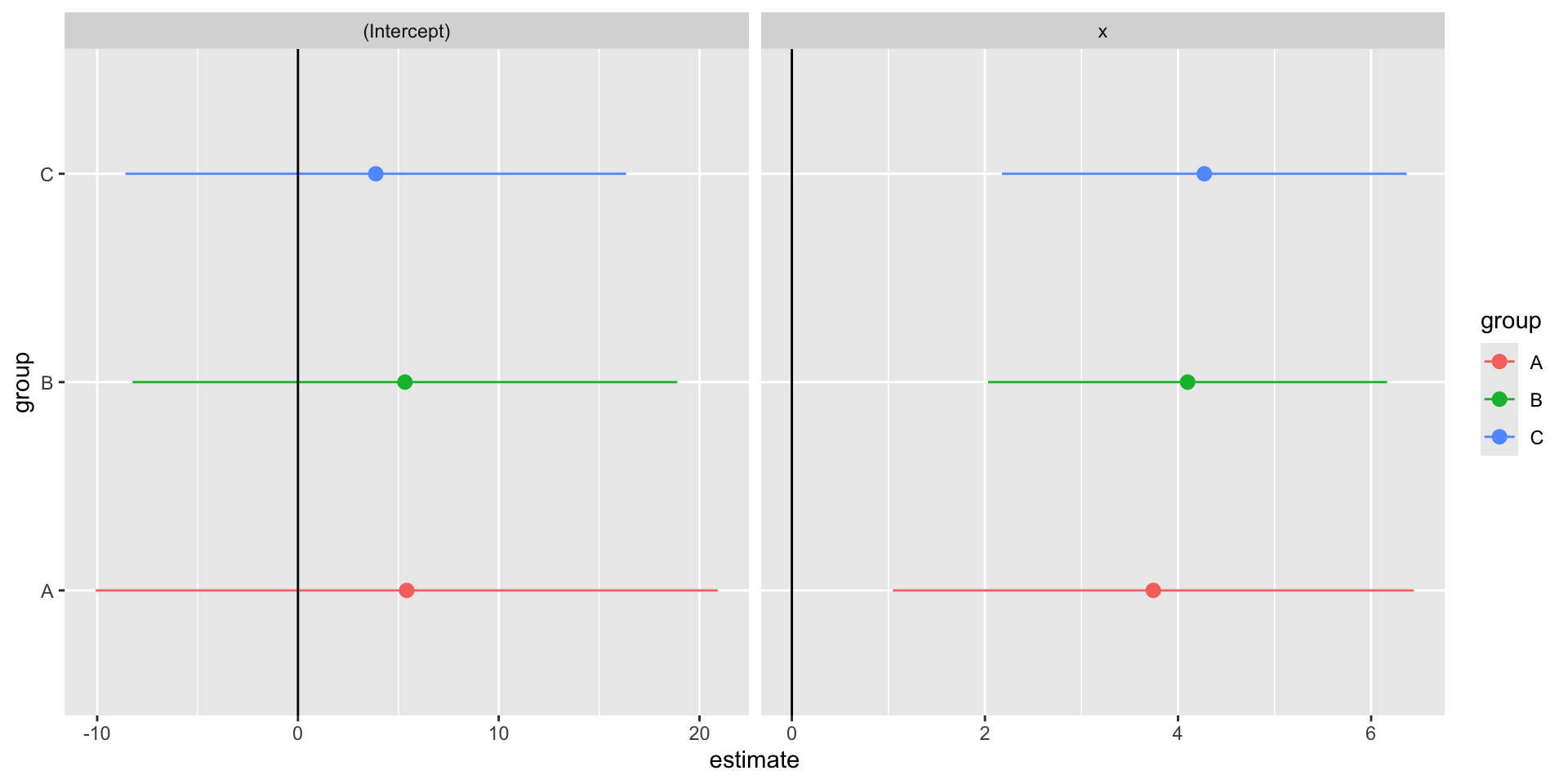
Last class we ran one regression per group with nest(), map(), and tidy().
library(tidyverse)
library(broom)
library(fixest)
library(gapminder)
set.seed(42)
tb <- tibble(
x = sample(1:10, 100, replace = TRUE) + rnorm(100),
y = 5 * x + 20 * rnorm(100),
group = sample(c("A", "B", "C"), 100, replace = TRUE)
)
stb <- tb |>
nest(data = c(x, y)) |>
mutate(
model = map(data, \(d) lm(y ~ x, data = d)),
results = map(model, tidy)
)
gapminder <- gapminder |> mutate(pop = pop / 1e6, gdpPercap = gdpPercap / 1e3)Same simulated data, same models, and the same rescaled gapminder.
stb has one row per group, with the model and its tidy results stored in list columns.
# A tibble: 3 × 4
group data model results
<chr> <list> <list> <list>
1 A <tibble [29 × 2]> <lm> <tibble [2 × 5]>
2 B <tibble [37 × 2]> <lm> <tibble [2 × 5]>
3 C <tibble [34 × 2]> <lm> <tibble [2 × 5]>
Tidy results are a tibble, so ggplot2 can plot them.

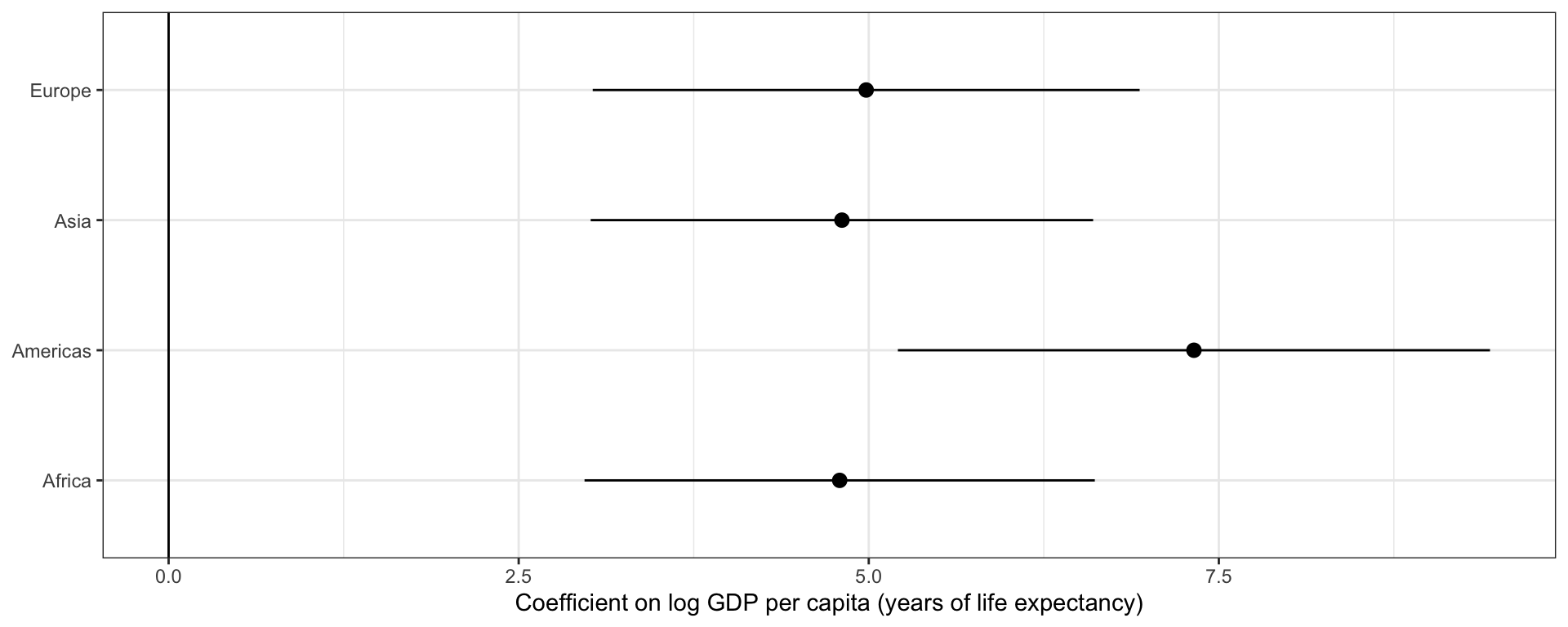
fixesttidy() works on fixest models too, and conf.int = TRUE adds confidence intervals.
m_cont <- gapminder |>
filter(continent != "Oceania") |> ## only two countries
nest(data = -continent) |>
mutate(
model = map(data, \(d) feols(lifeExp ~ log(gdpPercap) | year, cluster = ~ country, data = d)),
results = map(model, \(m) tidy(m, conf.int = TRUE))
) |>
unnest(results)
m_cont |> select(continent, term, estimate, conf.low, conf.high)# A tibble: 4 × 5
continent term estimate conf.low conf.high
<fct> <chr> <dbl> <dbl> <dbl>
1 Asia log(gdpPercap) 4.81 3.01 6.60
2 Europe log(gdpPercap) 4.98 3.03 6.93
3 Africa log(gdpPercap) 4.79 2.97 6.61
4 Americas log(gdpPercap) 7.32 5.21 9.44
fixestEach point is one regression, with year fixed effects and SEs clustered by country.
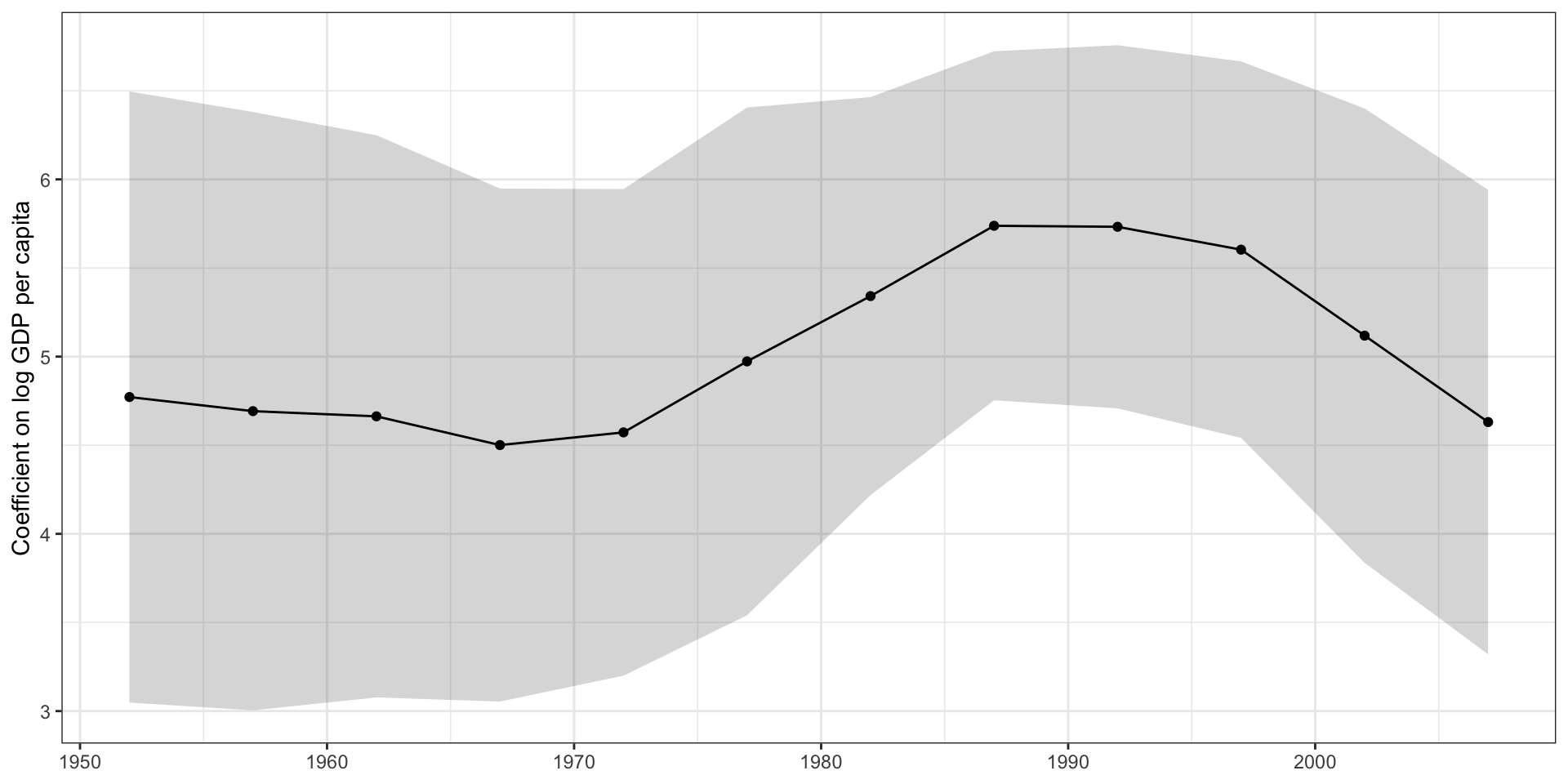
Using gapminder, how has the relationship between income and life expectancy changed over time?
Nest gapminder by year.
For each year, use feols() to regress lifeExp on log(gdpPercap) with continent fixed effects and heteroskedasticity-robust standard errors (vcov = "hetero").
Tidy the results with conf.int = TRUE and unnest them.
Plot the coefficient against year with geom_pointrange() (or geom_line() plus geom_ribbon()).
Bonus: apply your own theme and labels, and save it as a PDF with ggsave().
gapminder |>
nest(data = -year) |>
mutate(
model = map(data, \(d) feols(lifeExp ~ log(gdpPercap) | continent, vcov = "hetero", data = d)),
results = map(model, \(m) tidy(m, conf.int = TRUE))
) |>
unnest(results) |>
ggplot(aes(x = year, y = estimate, ymin = conf.low, ymax = conf.high)) +
geom_ribbon(alpha = 0.2) +
geom_line() +
geom_point() +
labs(x = NULL, y = "Coefficient on log GDP per capita") +
theme_bw()